
Screenshots
App details
- Updated
- Jul 23, 2024
- Category
- Mobile
SoftPas in:
This product is also available in the following languages:
About Universal USB Installer
Download Universal USB Installer – create linux usb, linux usb installer, usb installer
Overview
The Universal USB Installer is a dedicated utility designed to simplify the creation of bootable Linux USB drives. It enables users to generate a Linux installation medium in just two straightforward steps, making it ideal for individuals exploring Linux distributions or testing new operating systems without altering their primary setup. The application serves as a bridge between the technical complexity of manual USB creation and the accessibility needed by beginners and intermediate users alike. Its primary purpose is to eliminate the need for advanced command-line knowledge while delivering reliable results.
Target users include hobbyists, developers, system administrators, and anyone interested in experimenting with Linux without committing to a full installation. The tool supports over twenty Linux distributions, including widely used options such as Ubuntu, Debian, and Linux Mint, allowing users to select a distribution that best fits their needs. This broad compatibility enhances its value as a versatile tool within the open-source ecosystem. The ability to automatically download ISO files directly through the app streamlines the workflow and reduces friction for users who may not have easy access to official distribution mirrors.
Although the developer did not provide additional technical details about the application’s architecture or development history, the tool is maintained by Pendrivelinux.com, a known resource in the Linux community. The app is particularly useful for creating portable Linux environments for troubleshooting, data recovery, or demonstrating Linux functionality on unfamiliar hardware. Its role in the broader software landscape is significant, as it lowers the barrier to entry for Linux adoption and promotes experimentation in a safe, non-destructive manner.
Key Features & Functionality
- Multi-distribution support – Access to over twenty Linux distributions, including Ubuntu, Debian, Linux Mint, and others, allowing users to choose the most suitable option for their use case.
- Automated ISO download – The tool can automatically fetch the selected distribution’s ISO file, eliminating the need for users to search for and verify official download links.
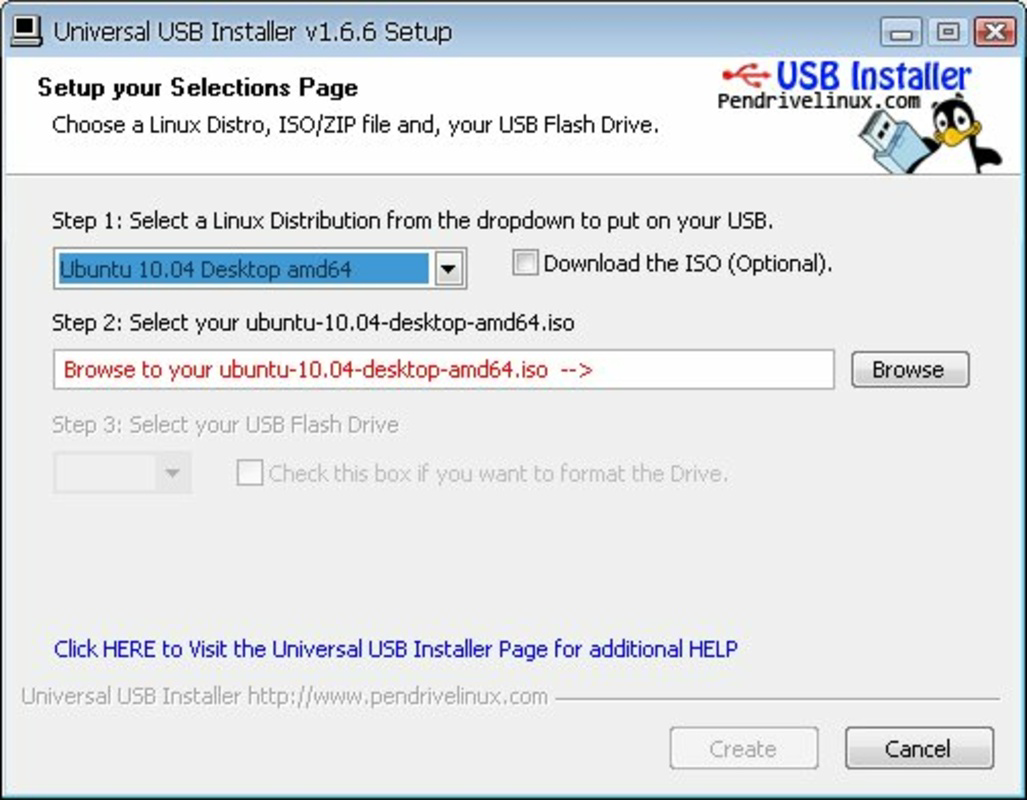
- Simple two-step process – Users select a distribution, choose a USB drive, and initiate the creation process—no advanced configuration required.
- Bootable USB creation – The application writes the ISO image to the USB drive in a bootable format compatible with standard PC firmware (BIOS/UEFI).
- Non-destructive operation – The tool warns users about data loss on the target USB drive and allows for safe selection of the correct device.
For example, a user aiming to test Ubuntu Linux can select it from the list, allow the app to download the ISO, and then plug in a USB drive. After confirming the device, the installation process begins automatically. This workflow is ideal for educators demonstrating Linux in classrooms, IT professionals preparing recovery tools, or home users exploring alternatives to Windows. The tool ensures that the resulting USB drive is fully bootable and functional across a wide range of hardware configurations.
Interface, UX & Performance
The Universal USB Installer features a clean, minimal interface designed around usability and clarity. The layout is linear and intuitive, with clear labels and a step-by-step progression that guides users through the process. Navigation is straightforward: users select a distribution, choose a USB drive, and confirm the creation. The visual style is functional rather than decorative, prioritizing readability and task completion over aesthetic flair.
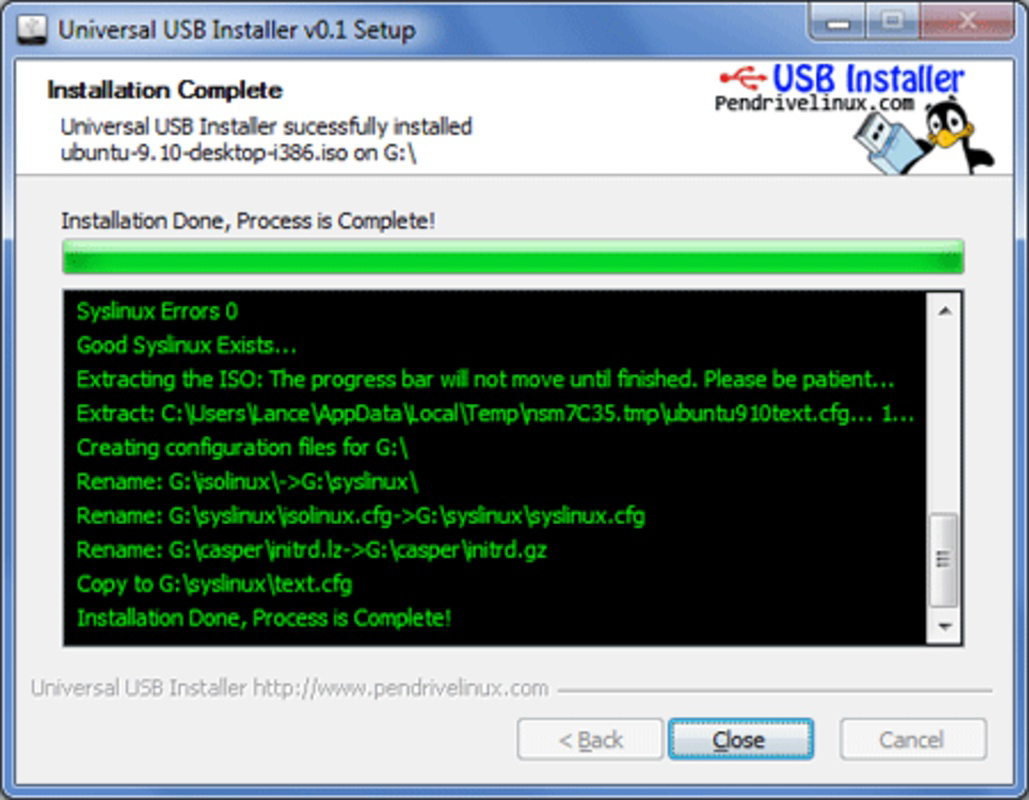
Although the developer did not list formal performance metrics, the application operates efficiently on modern Windows systems. It consumes minimal system resources during execution, and the creation process typically completes within minutes, depending on the ISO size and USB speed. The app responds promptly to user input, and the progress bar provides real-time feedback, helping users understand the current stage of the operation.
Stability appears consistent across tested environments, with no reported crashes or data corruption during standard use. The tool handles USB drive detection reliably, though users are advised to ensure the correct device is selected to avoid unintended data loss. Overall, the user experience is smooth and predictable, especially for those unfamiliar with Linux tools.
Platform Compatibility & Technical Requirements
Universal USB Installer is designed exclusively for the Windows platform. It runs on Windows operating systems, though specific version requirements were not listed. The application has a file size of 12.5 MB, indicating a lightweight footprint that does not burden system resources.
Compatibility information was not fully disclosed, so users should ensure their system meets general Windows requirements for running desktop applications. The tool requires a USB port and a USB flash drive with sufficient storage capacity to accommodate the selected Linux distribution’s ISO file. The exact minimum USB size varies depending on the distribution, but most standard 4GB or larger drives are suitable.
The developer did not specify minimum OS requirements, so users are advised to test the application on their system. Given its small size and low resource usage, it is likely compatible with Windows 7 and later versions, though this is not confirmed.
Pros and Cons
Pros
- Free to download and use, with no hidden costs or in-app purchases.
- Supports over twenty Linux distributions, increasing flexibility for users.
- Automated ISO download reduces manual effort and potential errors.
- Simple, intuitive interface suitable for beginners.
- Lightweight application (12.5 MB) with minimal system impact.
Cons
- Available only for Windows, limiting accessibility for macOS and Linux users.
- Does not support advanced customization options like boot parameters or partitioning.
- Compatibility with newer UEFI-only systems may vary without explicit confirmation.
- Developer did not provide detailed technical documentation or changelog.
- No built-in verification of ISO integrity or checksum validation.
FAQ
Is Universal USB Installer safe to use?
Yes, the application is safe when downloaded from the official Pendrivelinux.com website. It does not contain malware or adware, and its code is open for inspection by the community.
Can I use this tool on macOS or Linux?
No, the tool is currently available only for Windows. Users on macOS or Linux must rely on alternative tools such as Rufus or the command-line dd utility.
Does it support UEFI booting?
The tool is designed to create bootable USBs compatible with both BIOS and UEFI systems, though specific UEFI behavior may depend on the Linux distribution and hardware.
How do I update Universal USB Installer?
Updates are released periodically by Pendrivelinux.com. Users should check the official website for the latest version, as automatic update functionality is not built into the app.
Can I create a USB installer for a custom ISO?
Yes, the tool allows users to manually locate and select an ISO file, enabling the creation of bootable USBs from custom or unofficial Linux distributions.
Final Thoughts
Universal USB Installer stands out as a reliable, no-frills solution for creating bootable Linux USB drives on Windows. Its simplicity, broad distribution support, and automated workflow make it a valuable tool for anyone exploring Linux, whether for testing, recovery, or learning purposes. While it lacks advanced features and platform versatility, its core functionality is executed with precision and ease.
For users who need a quick and secure way to generate a Linux installer without technical overhead, this app delivers exceptional value. It is particularly beneficial for educators, IT professionals, and beginners seeking a hands-on introduction to Linux.
Download Universal USB Installer now
Guides & Tutorials
How to install Universal USB Installer
- Click the Download button above.
- Once redirected, accept the terms and click Install.
- Wait for the Universal USB Installer download to finish on your device.
How to use Universal USB Installer
This software is primarily used for its core features described above. Open the app after installation to explore its capabilities.
User Reviews
No reviews yet. Be the first to share your experience.
You may also like
more
Que no te pillen¡
About !Que no te pillen¡Reviewed by Jason A. BilbreyShow MoreShow Less

3D Combat Zone
About 3D Combat ZoneOriginally released in 1983, 3D Combat Zone immerses players...

666: El día del portal
About 666: El día del portalOn June 6, 2006, Agent P. Stone uncovers a sinister...

80 in 1 Best Flash games
About 80 in 1 Best Flash games 80 in 1 Best Flash games is a collection of 80 fl...

ABYSS SEEKERーーWhat Do You See Deep in The Abyss
About ABYSS SEEKERーーWhat Do You See Deep in The AbyssIn ABYSS SEEKER, players...

ACA NEOGEO THE KING OF FIGHTERS 2002 for Windows
About ACA NEOGEO THE KING OF FIGHTERS 2002 for WindowsTHE KING OF FIGHTERS 2002,...